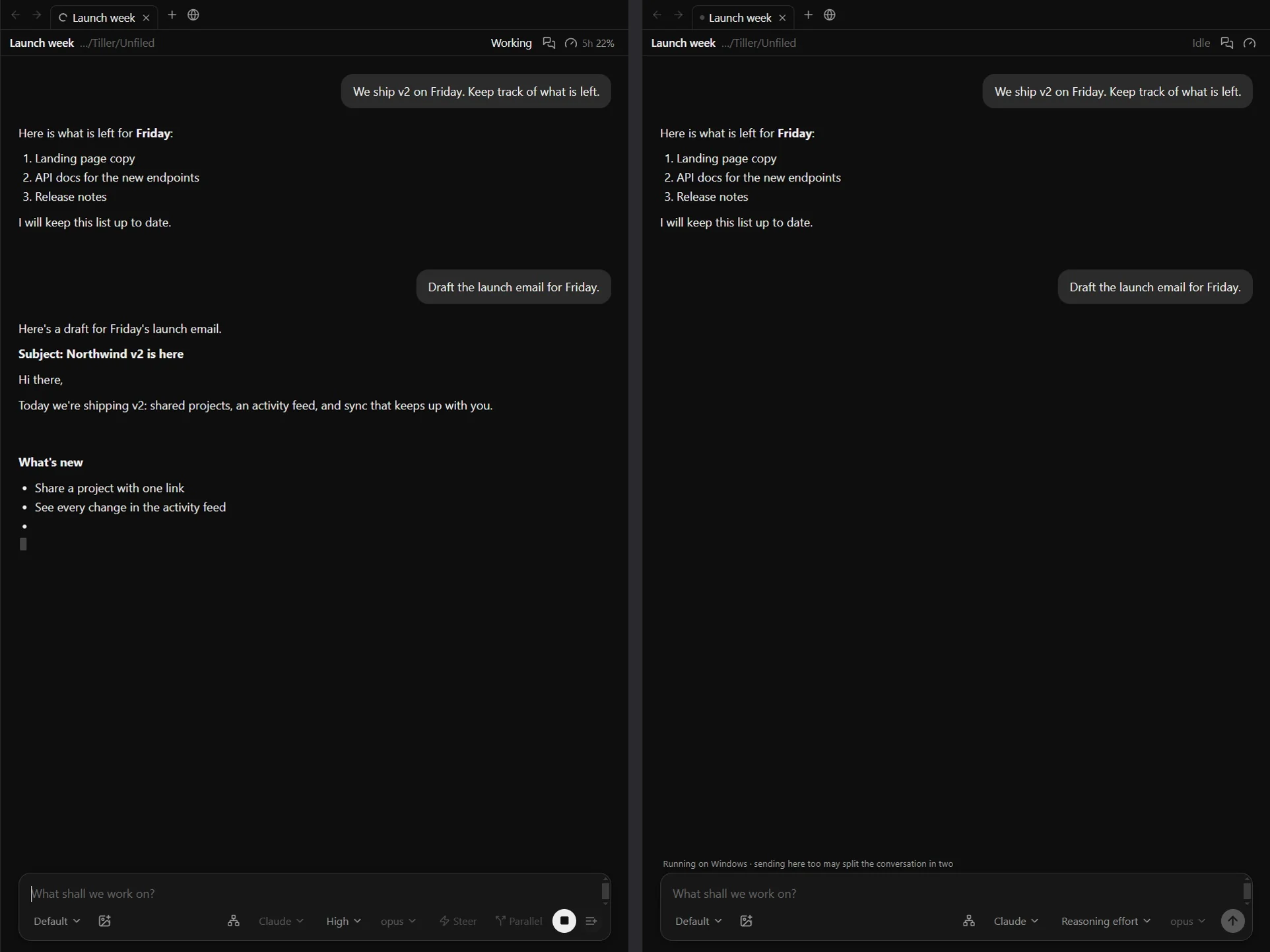
Keep typing while
the agent works.
Tiller is a free desktop app for Claude Code and Codex. Line up your next messages, fix them before they go out, and steer the turn that is running.
Version 0.3.0 · Windows x64 · pre-release
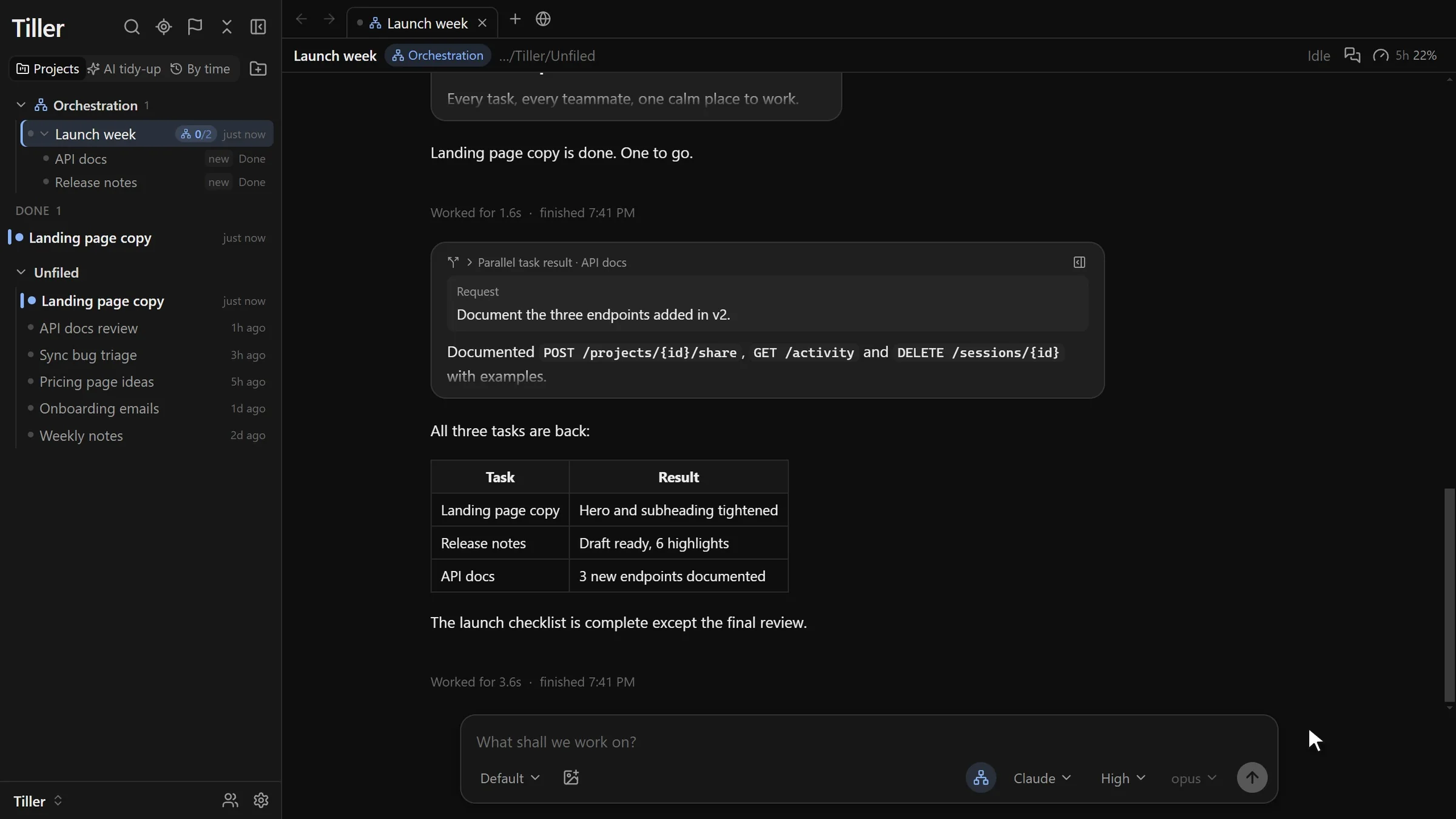
Your agent, your account.
Tiller drives the official Claude Code and Codex engines with your own sign-in. It does not replace the agent or resell model access.
Local by default.
Conversations live in a vault folder on your computer. Reading, searching and continuing them needs no Tiller account.
Free to use.
The app costs nothing. Tiller Sync, the optional encrypted service that carries your vaults between computers, will be the paid part.
Queue and steer
Send the next thought now. Decide when it lands.
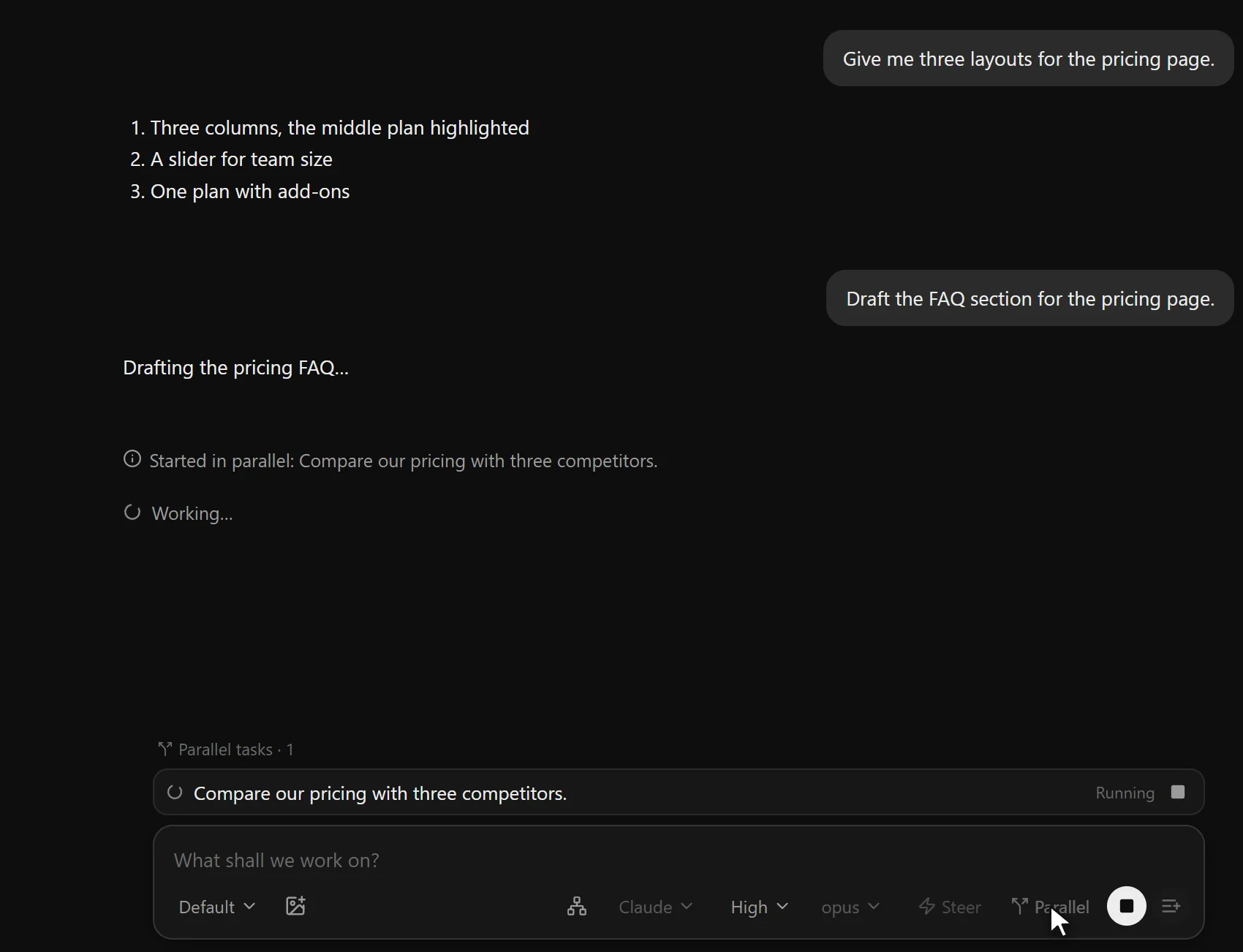
Messages you send mid-turn wait in a visible queue above the composer. Edit them after you see how the turn went, drag them into order, or merge several into one.
Tab sends a message straight into the running turn, so the agent changes course without losing the work it has done.
| Key | Agent working |
|---|---|
| Enter | Add to the queue |
| Tab | Send into the running turn |
| Esc | Interrupt the turn |
Parallel tasks
Hand out the work. Keep talking.
Ask for several things at once and Tiller runs them as separate conversations. Each result appears in your conversation as soon as it finishes, even while the agent is busy with something else.
- Reviews by the other engine. Any conversation can hand its change to Codex or Claude for a second look.
- Split mode. Watch 4 to 32 conversations at once, across the monitors you choose.
Built-in browser
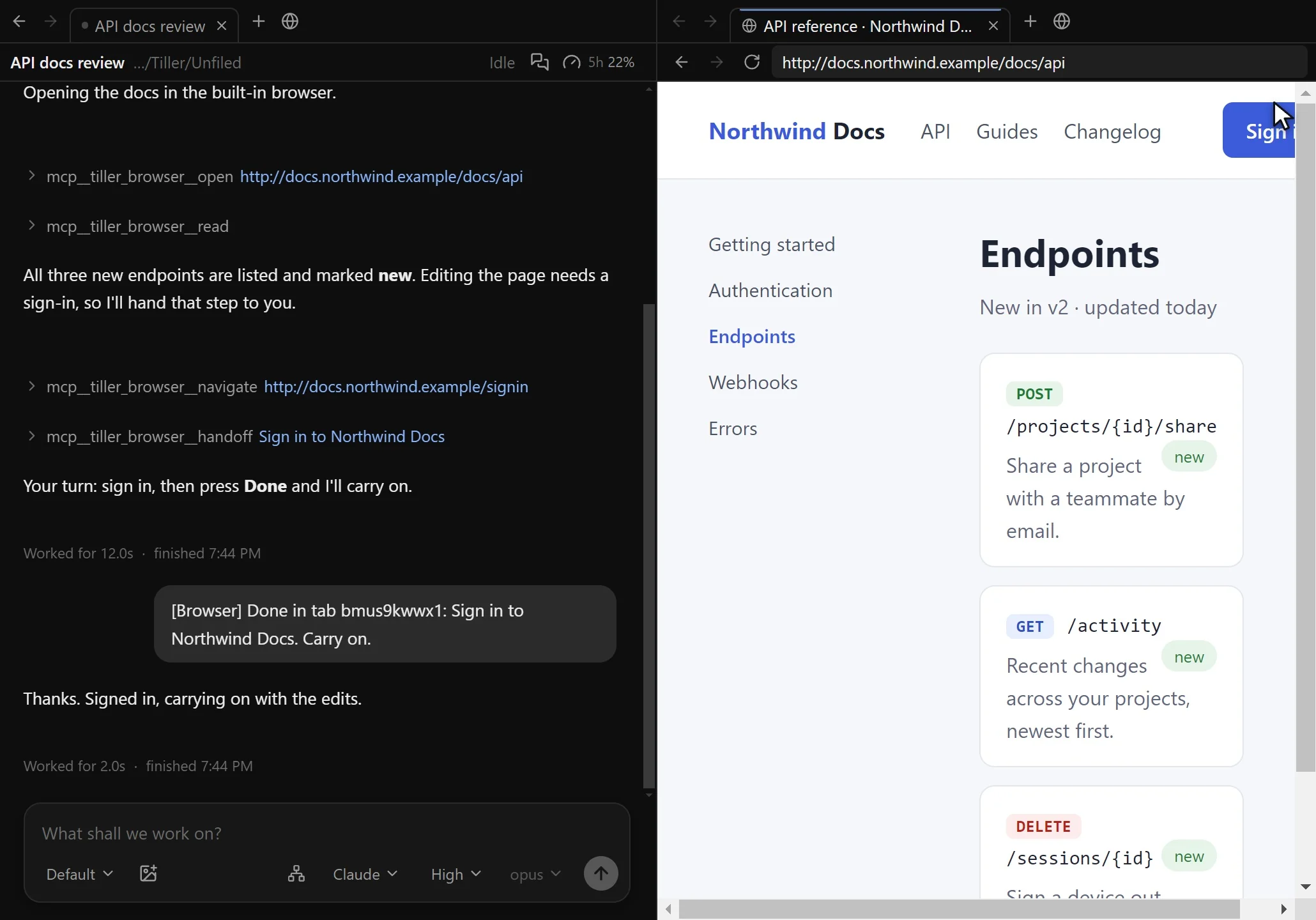
The agent reads the page. You do the sign-in.
The agent opens pages in a browser tab beside the conversation, reads them and clicks through. When a step needs a password or a payment, it hands the tab to you and waits.
Tiller Sync · coming soon
Start on one computer. Continue on the next.
Connect a vault to Tiller Sync and the same conversations, projects and instructions follow you to every computer you use. Everything is encrypted on your device before it leaves.